What Is MCP (Model Context Protocol) and Why It's Becoming the USB-C of AI Tools
Every AI assistant used to need its own custom plumbing to reach your CRM, docs, or database. The Model Context Protocol changes that with one open standard for connecting AI apps to tools and data — here's how it works and where the sharp edges are.
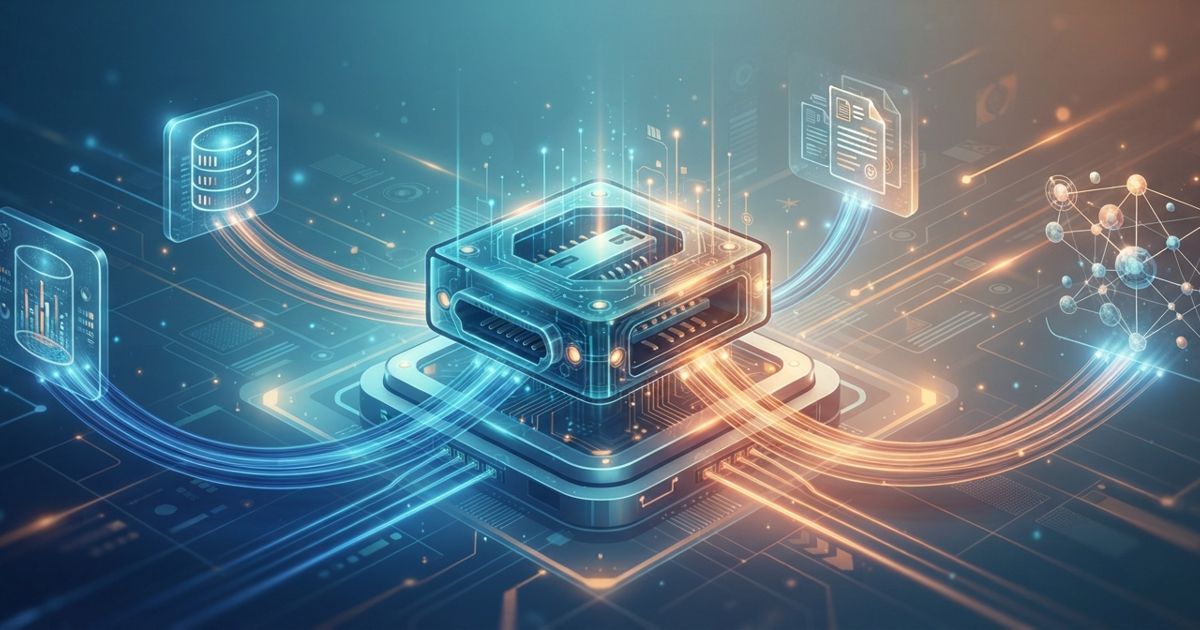
Table of contents
If you have ever tried to connect an AI assistant to your company's tools, you have felt the pain: one custom integration for your CRM, another for your help-desk software, a third for your database, and every one of them written differently. Swap chatbots and you throw the work away and start over.
The Model Context Protocol (MCP) is the industry's answer to that mess. Think of it as a universal adapter — a standard way for AI applications to plug into external tools and data, so you build a connector once and reuse it everywhere. That is why people have started calling it "the USB-C of AI tools."
The problem MCP actually solves
Before MCP, connecting an AI model to the outside world was an N-times-M problem. If you had a handful of AI apps and a handful of systems you wanted them to reach, you potentially needed a bespoke integration for every pairing. Each vendor invented its own plugin format, its own auth flow, its own way of describing what a tool could do.
That has real costs:
- Wasted engineering. The same "read a row from our database" logic gets rebuilt for every assistant.
- Lock-in. Move from one AI platform to another and your integrations don't come with you.
- Fragility. Custom glue code is where bugs and security gaps quietly accumulate.
MCP replaces the many-to-many tangle with a single shared contract. An AI app that speaks MCP can talk to any MCP-compatible connector, and a connector built for MCP works with any MCP-compatible AI app. You go from N times M integrations to N plus M.
How MCP works, at a high level
MCP has two roles. Keep these straight and the rest is easy.
- MCP server — a small program that exposes capabilities. It wraps a system (your CRM, a database, a file store, an API) and advertises what it offers in a standard format. A server is the "device" you plug in.
- MCP client — the AI application that consumes those capabilities. This is your chatbot, agent, or IDE assistant. The client is the "laptop" with the USB-C port.
The two talk over a defined protocol, so neither side needs to know the other's internals. A server just declares, "here is what I can do," and any client can discover and use it.
Servers expose three kinds of things:
| MCP concept | Plain-language meaning | Example |
|---|---|---|
| Tools | Actions the AI can invoke | "Create a support ticket," "run this SQL query" |
| Resources | Data the AI can read | A document, a database record, a config file |
| Prompts | Reusable prompt templates the server offers | A pre-built "summarize this ticket" instruction |
When a user asks the assistant to do something, the model can see the available tools and resources, decide which to call, and the client passes that request to the right server. The server does the work and returns a result the model can use in its answer.
If the terms tool and agent are still fuzzy, our explainer on what an AI agent is covers the surrounding vocabulary.
A concrete example
Say you run a small B2B software company and you want an internal assistant that can answer, "What's the status of Acme Corp's account, and do they have any open tickets?"
Without MCP, someone writes custom code to query your CRM's API, more code to hit your help desk, and wires both into whatever chatbot you happen to use. With MCP:
- You run (or install) a CRM MCP server and a help-desk MCP server. Many vendors now ship these, and there are open-source ones for common databases and SaaS tools.
- You point your MCP-compatible assistant at both servers.
- The assistant now discovers the available tools — "look up account," "list open tickets" — automatically.
When you ask your question, the model calls the CRM server for the account record and the help-desk server for open tickets, then combines the results into a plain-English answer. If next quarter you switch to a different assistant, the two servers keep working. You changed the client; the connectors didn't care.
The same pattern powers coding assistants that read your repository, marketing copilots that pull live analytics, and internal agents that update records across several systems in one workflow.
Why adoption is surging in 2026
MCP was introduced by Anthropic in late 2024 as an open standard, and the timing was right. Two things made it spread fast.
First, the industry converged on it. Rather than each major AI provider pushing a rival plugin format, support for MCP has landed across a wide range of AI platforms, developer tools, and IDEs. An open standard backed by more than one vendor is exactly what enterprises wait for before committing.
Second, agents made it necessary. As AI moved from single chat replies to multi-step agents that take actions, the need for a clean, consistent way to give models safe access to tools became urgent. MCP arrived just as that demand peaked.
The practical result: a growing ecosystem of ready-made servers. Instead of writing an integration, you increasingly install one — much like reaching for an npm package instead of coding from scratch.
What it means for businesses
For most SMBs, the headline benefit is reusable connectors.
- Build once, reuse everywhere. Wrap your internal database in an MCP server and every current and future assistant can use it.
- Less vendor lock-in. Your integration layer is decoupled from any one AI provider, so switching costs drop.
- Faster rollout. Standing up an assistant that touches real business data becomes an integration-shopping exercise, not a from-scratch build.
- A shared language across teams. Engineers, ops, and vendors describe capabilities the same way.
You don't need to be a large company to benefit. If you have even two or three systems you'd like an assistant to reach, the reuse math already favors a standard.
Honest caveats: where MCP is still rough
MCP is genuinely useful, but it is not magic, and treating it carelessly can bite you.
Security and permissions are on you. An MCP server is a program that can read data and take actions on your behalf. If you connect a server that can query your production database or send emails, the AI can do those things — and so can anyone who compromises that server. Grant the narrowest access each server truly needs, prefer read-only where possible, and require human approval for destructive actions.
Trust the source of your servers. Installing a random community MCP server is like installing a random browser extension. A malicious or sloppy server can leak data or be a vector for prompt-injection attacks, where hidden instructions in the data it returns try to hijack the model. Vet servers the way you'd vet any third-party dependency, and review their code or provenance before granting real access. (We cover prompt injection in depth elsewhere on the site.)
The standard is still maturing. MCP is young. Details around authentication, remote-server hosting, and fine-grained permissions have evolved quickly and continue to. Expect some churn, pin versions where you can, and don't assume every server implements the spec perfectly.
It's plumbing, not intelligence. MCP gives a model access to tools; it doesn't make the model good at using them. A weak assistant with great connectors is still a weak assistant.
When not to reach for it
If you have a single, simple integration and no plans to grow, a direct API call may be less overhead than running an MCP server. And for anything touching sensitive data, don't wire it up until you've thought through permissions and auditing. The standard removes integration busywork — it does not remove the need for judgment.
The bottom line
MCP is doing for AI-to-tool connections what USB-C did for cables: replacing a drawer full of proprietary adapters with one standard that mostly just works. For businesses, that means reusable connectors, less lock-in, and faster paths to assistants that actually touch your data. Just remember that a universal port is also a universal doorway — connect deliberately, scope permissions tightly, and vet every server you plug in.
Sources
- Model Context Protocol — official documentation modelcontextprotocol.io
- Anthropic: Introducing the Model Context Protocol anthropic.com
- MCP specification and reference servers (GitHub) github.com